Redact PDF
Draw boxes over visible text or image areas you want to remove, apply the redactions, and review the downloaded PDF before sharing it.
Upload a PDF to redact
Draw highlight boxes over sensitive text or areas, then apply permanent redactions. Files auto-delete after 1 hour.
Drag and drop a file here, or click to browse.
Remove selected visible content, then verify the result
A black shape placed on top of a PDF can hide text visually while leaving the characters underneath available for selection or extraction. This tool sends the boxes you draw to a PDF redaction process. It targets content that overlaps those selected page coordinates and places a black fill in the output.
Redaction is only as complete as the boxes you add. Review every page and do not assume that metadata, attachments, comments, form data, layers, or content outside your selected areas has been removed.
Upload one PDF
Choose the document and wait for the first page preview to load.
Draw each box
Drag over every visible area you want to redact on every relevant page.
Apply redactions
The worker processes the selected coordinates and creates a new PDF.
Verify the download
Inspect the result in a separate reader before you share or publish it.
What the tested redaction covers
- Selected searchable text inside a drawn box
- Selected pixels inside an embedded scanned image
- Pages displayed at 0, 90, 180, or 270 degrees
- A black fill marking each processed redaction area
What it does not sanitize
- PDF metadata, including author, title, or keyword fields
- Embedded file attachments
- Unselected text, images, comments, or page areas
- Every hidden PDF structure or possible recovery path
Tested with synthetic text, image, and rotation controls
Reviewed by PDF Toolbox. Tested August 3, 2026 against the live production APIs with PyMuPDF 1.26.6. The single four-page job included searchable targets, a raster target, unselected controls, metadata, an attachment, and all four page rotations.
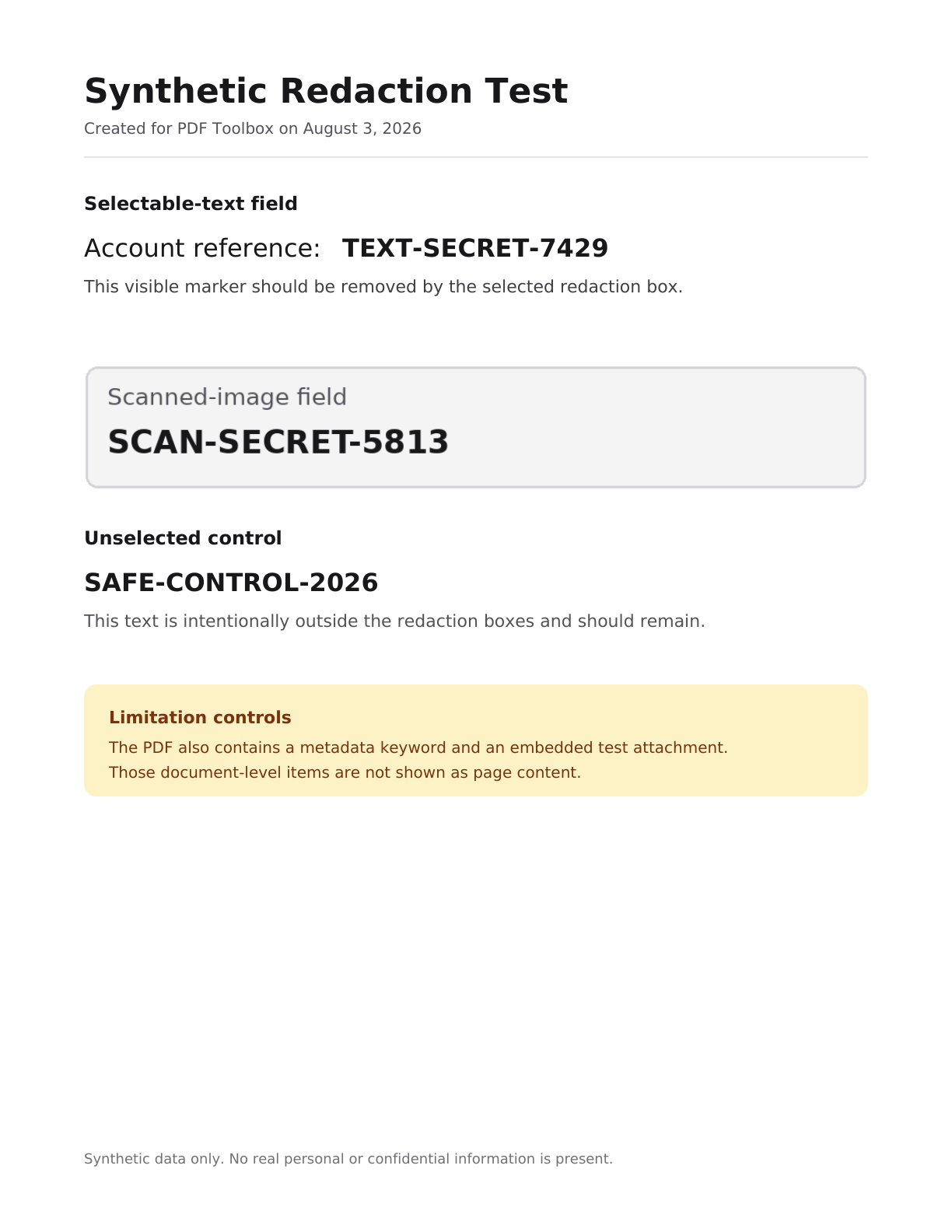
The production preview contains a searchable-text marker, a scanned-image marker, and an unselected SAFE control.
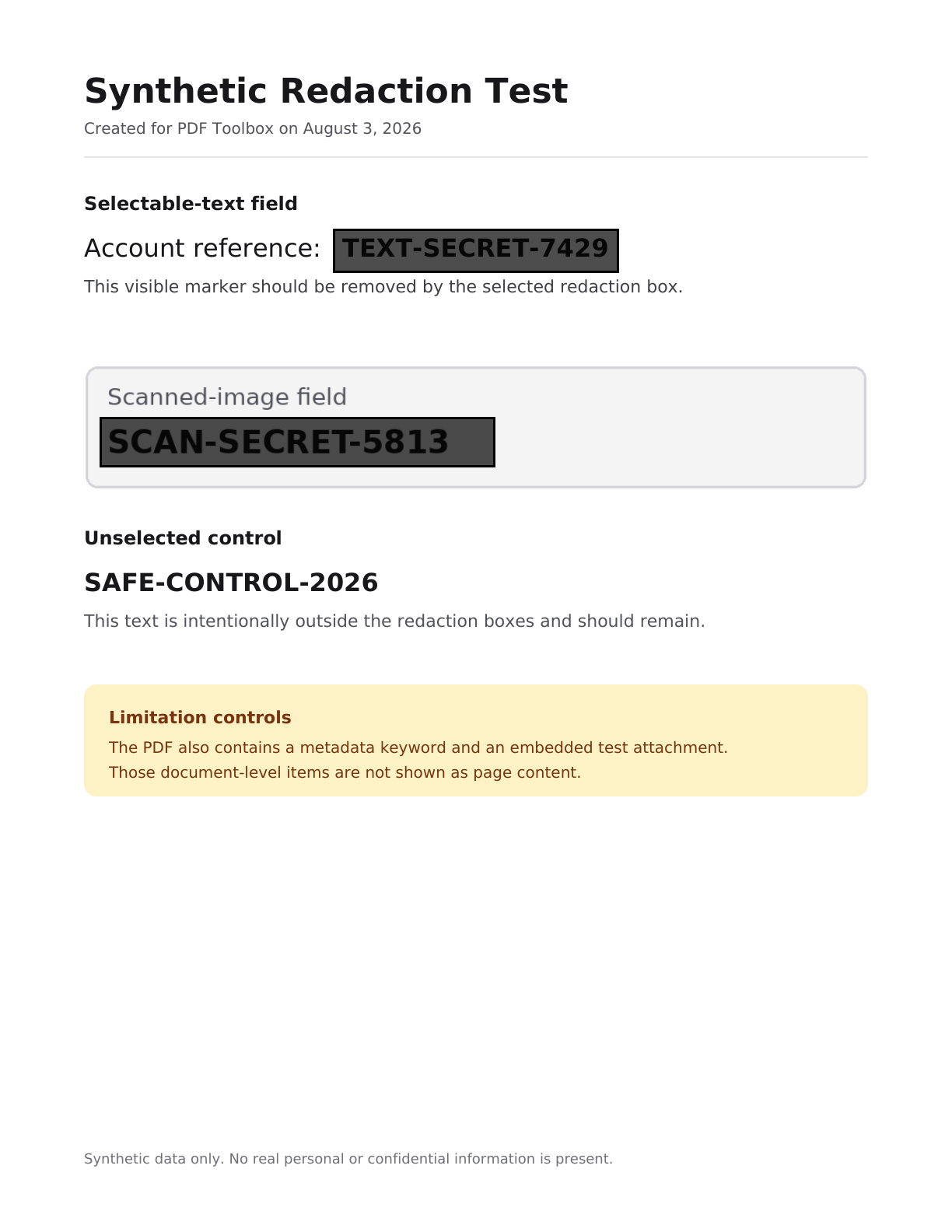
This annotated workflow image places the exact submitted API coordinates over the production preview. It is not a browser screenshot.
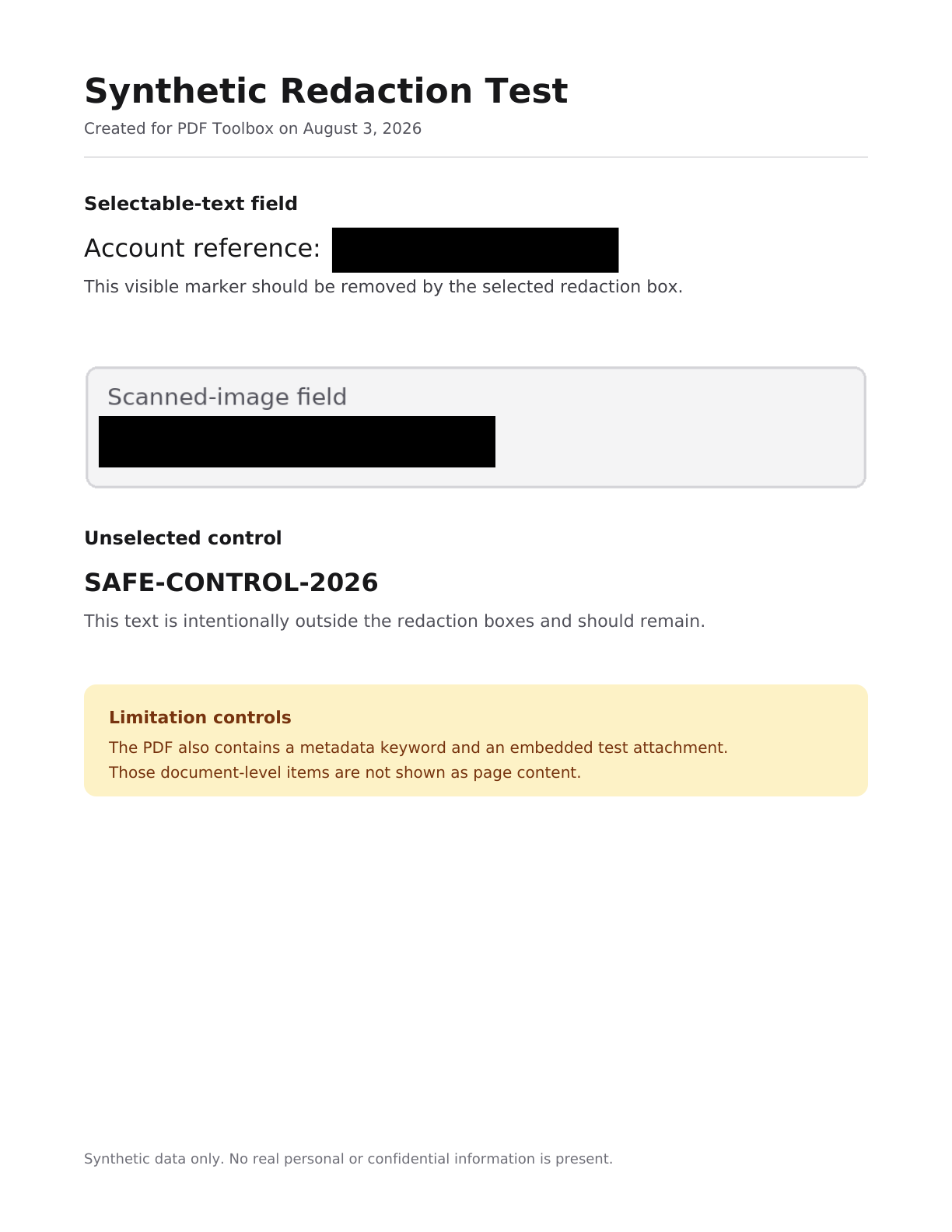
The selected text and scanned-image regions are blacked out. The unselected SAFE control remains visible.
Production test results
These results describe the published synthetic test case. They are evidence of tested behavior, not a promise that every PDF has the same internal structure.
| Check | Observed result | Status |
|---|---|---|
| Searchable text | All four selected text markers were absent from extracted output text. | Passed |
| Scanned image | The selected raster region rendered as a fully black redaction area. | Passed |
| Unselected controls | All four SAFE control markers remained visible and extractable. | Passed |
| Page rotation | 0, 90, 180, and 270 degree rotations were preserved. | Passed |
| Metadata | The synthetic metadata keyword remained in the output. | Retained limitation |
| Attachment | The synthetic embedded attachment remained in the output. | Retained limitation |
Important review checklist
- 1. Draw a box over every sensitive visible area on every page.
- 2. Inspect the downloaded PDF in a separate reader at a useful zoom.
- 3. Test text selection or copy-paste when searchable text was redacted.
- 4. Remove metadata or attachments separately when your workflow requires it.
Do not rely on this tool as legal advice, regulatory certification, a forensic guarantee, or proof that every hidden PDF structure has been removed.
File retention
Uploaded PDFs, generated outputs, and page-preview images become eligible for scheduled deletion after 60 minutes. The cleanup process runs every five minutes, so removal may occur shortly after the eligibility threshold rather than at exactly 60 minutes.
FAQ
What does this Redact PDF tool remove?
The tool applies redaction to the visible page areas inside the boxes you draw. In our production test, selected searchable text was absent from extracted output text and selected pixels in an embedded scan were replaced by a black redaction region. Content outside the boxes remained.
Is redaction different from drawing a black rectangle over text?
Yes. A normal shape or annotation can leave the underlying text available for selection or extraction. This tool uses PDF redaction processing for the selected coordinates. You should still inspect the downloaded result and test text selection or copy-paste before sharing it.
Can I redact a scanned or image-based PDF?
You can draw a box over a visible part of a scanned page. In our synthetic production test, the selected raster region was replaced by black pixels. Use a precise box, then inspect the downloaded page at a readable zoom level.
Does this tool remove PDF metadata or embedded attachments?
No. The redaction boxes apply to visible page content. Our test PDF retained its metadata keyword and embedded attachment after processing. Use a separate metadata or attachment workflow when those document-level items must be removed.
Does redaction work on rotated PDF pages?
Our August 3, 2026 production test passed on pages rotated 0, 90, 180, and 270 degrees. Selected text markers were removed, unselected controls remained, and the original page rotations were preserved.
How should I verify a redacted PDF?
Open the downloaded file in a separate PDF reader, inspect every page, zoom into each redaction, and confirm that no sensitive content sits outside your boxes. For searchable documents, also try selecting or copying text from each redacted area. This tool and its test report are not legal, regulatory, or forensic certification.
When are uploaded files and previews deleted?
Uploads, generated outputs, and page previews become eligible for scheduled deletion after 60 minutes. The cleanup process runs on a five-minute interval, so deletion is not guaranteed at the exact 60-minute mark.