Edit PDF
Add new text, visual whiteout boxes, and translucent highlights on top of PDF pages, then download a new copy for review.
Upload a PDF to edit
Add text, visually cover areas with whiteout, or highlight sections on a PDF page. Uploaded files, previews, and outputs become eligible for scheduled cleanup after 60 minutes.
Drag and drop a file here, or click to browse.
Make visible PDF changes without pretending to rewrite the source
PDF pages are not word-processing documents. Existing text may be split across drawing commands, embedded fonts, or positioned objects that do not behave like editable paragraphs. This tool takes a deliberately narrower approach: it places new visual elements over the existing page.
You can add a new single-line text label, draw an opaque white rectangle to cover something visually, or place a translucent highlight rectangle. The original file remains separate and the tool generates a new PDF for download.
Upload one PDF
The server stores the uploaded file temporarily and prepares page information and previews.
Place overlays
Add text, whiteout, or highlight elements while viewing the page preview.
Process the copy
The server maps the displayed coordinates back to the PDF page and creates a new output file.
Review the download
Open the result in a separate PDF reader and check every important edit before sharing it.
What the production test supports
- Text, whiteout, and highlight overlays on the tested pages
- Displayed rotations of 0, 90, 180, and 270 degrees
- Overlay placement on a tested image-only PDF page
- Deliberate rejection of invalid, signed, encrypted, and malformed controls
Important limitations
- Existing paragraphs are not directly edited or reflowed
- Whiteout hides visually but does not remove underlying content
- Highlight is a flattened translucent overlay, not a PDF highlight annotation
- Text is limited to tested single-line Latin / Western characters
Tested through the live upload, queue, worker, and download path
Reviewed by PDF Toolbox. Tested September 22, 2026 (UTC) against the live production APIs and worker pipeline using PyMuPDF 1.26.7. The primary synthetic job contained five pages, fifteen edits, all four right-angle page rotations, an image-only page, metadata, an attachment, a form field, a URI link, and a text annotation.
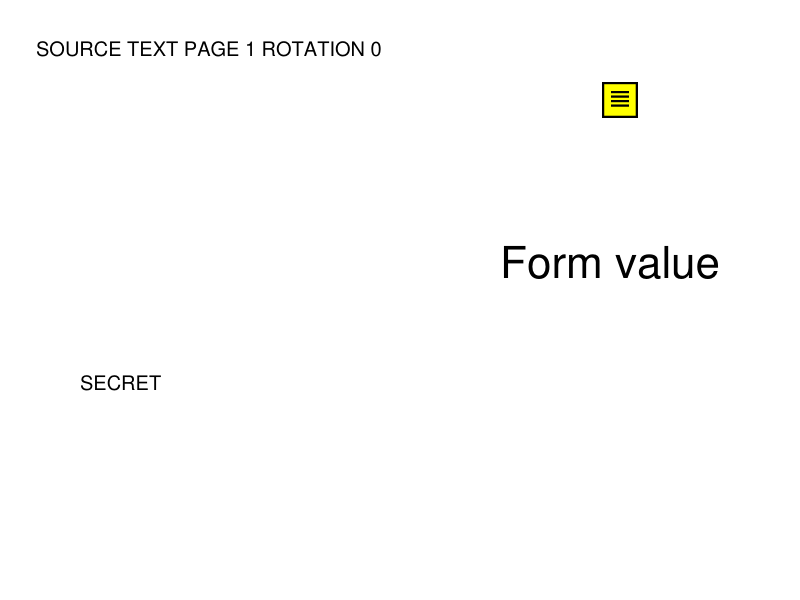
The published source file includes searchable text, a form field, a link, an annotation, metadata, an attachment, and rotation controls.
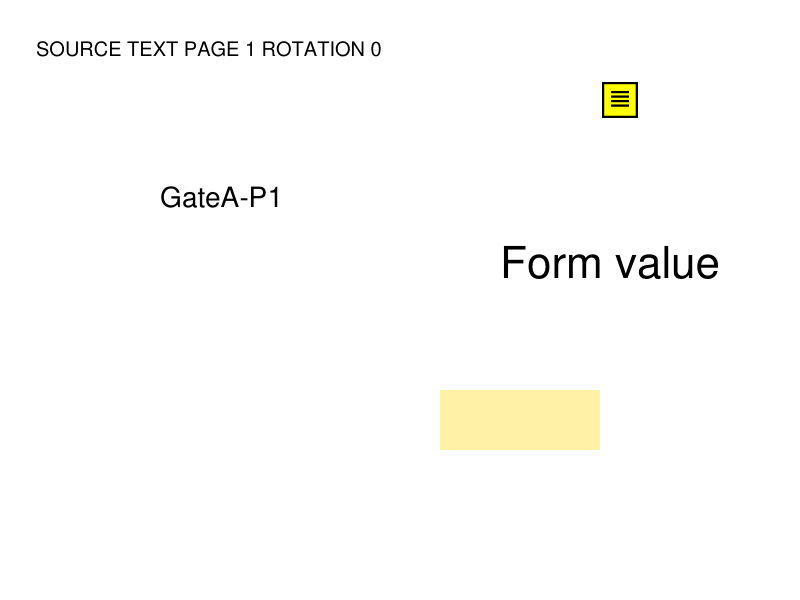
The production output contains the tested text, visual whiteout, and translucent highlight overlays on the first page.
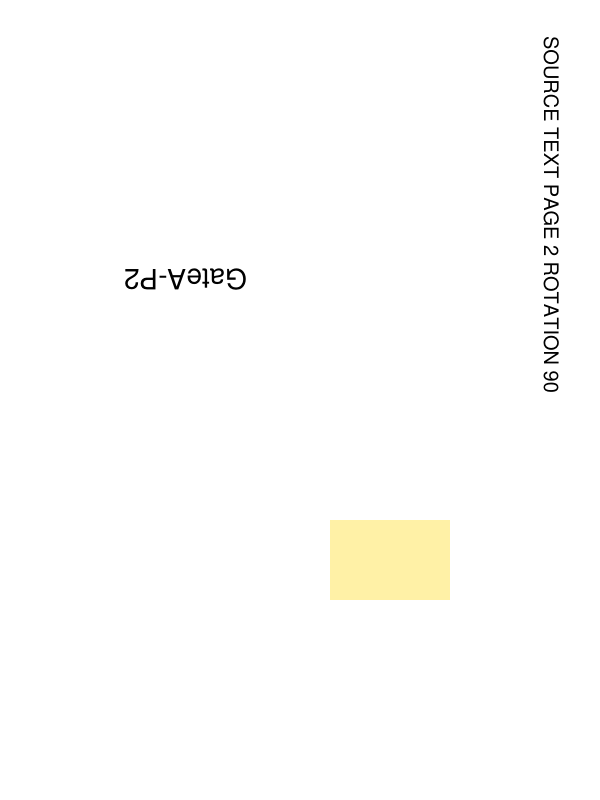
The rotation control confirms the overlay positions were mapped to displayed page coordinates and the added text remained horizontal to the viewer.
Production test results
These observations describe the published synthetic production control. They document tested behavior rather than promising that every PDF has the same internal structure.
| Check | Observed result | Status |
|---|---|---|
| Primary job | 15 submitted edits were applied and the output downloaded successfully. | Passed |
| Page rotations | 0, 90, 180, and 270 degree controls retained their rotations. | Passed |
| Text placement | Added text landed near the submitted visual position and remained horizontal to the viewer. | Passed |
| Whiteout / highlight | Both rectangle types matched the submitted control coordinates. | Passed |
| Image-only page | Text, whiteout, and highlight overlays were added without OCR. | Passed |
| Whiteout underlying text | The covered SECRET control remained extractable from the output. | Visual only |
| Selected PDF structures | Test metadata, attachment, form field, link, annotation, media boxes, and crop boxes remained. | Observed in test |
| Unsupported Unicode | The request was rejected before queueing with a bounded text message. | Passed |
| Invalid page / clipping | Both controls failed rather than producing misleading output. | Passed |
| Signed / encrypted / malformed | Each control was deliberately refused with a specific failure message. | Passed |
Verify the edited PDF before relying on it
- 1. Keep the original PDF so you can compare it with the edited copy.
- 2. Check every added text label for spelling, position, size, and clipping.
- 3. Treat whiteout only as visual covering; use Redact PDF when underlying content must be removed.
- 4. For important documents, verify forms, links, annotations, attachments, metadata, accessibility, and other features that matter to your workflow.
This tool and its production report are not a legal, regulatory, archival, forensic, accessibility, or exact-preservation certification.
File retention
Uploaded PDFs, generated outputs, and page-preview images become eligible for scheduled deletion after 60 minutes. Cleanup runs every five minutes, so removal may occur shortly after the eligibility threshold rather than at exactly 60 minutes.
FAQ
What can this Edit PDF tool change?
The current editor adds new single-line text, opaque whiteout rectangles, and translucent highlight rectangles on top of existing PDF page content. It does not directly rewrite or reflow existing paragraphs, fonts, or layout objects.
Does whiteout permanently remove the covered text?
No. Whiteout is a visual cover only. In our September 22, 2026 production test, the covered SECRET control remained extractable from the downloaded PDF. If underlying content must be removed, use the Redact PDF tool and verify the result separately.
What text can I add?
The tested production workflow accepts single-line Latin text and common Western punctuation. Font size is bounded from 8 to 72. Unsupported characters are rejected rather than silently substituted, and text that would run off the page is rejected instead of being clipped.
Does Edit PDF work on rotated pages?
Our production test passed on pages rotated 0, 90, 180, and 270 degrees. The tested text stayed horizontal in displayed page coordinates, and the whiteout and highlight rectangles matched their submitted visual positions.
Can I add overlays to a scanned or image-only PDF page?
Yes for the tested workflow. The fifth page of our production control contained only a raster image, and the text, whiteout, and highlight overlays were added without OCR. This does not make the underlying scan searchable.
What happens to signed or password-protected PDFs?
The tested production workflow refuses PDFs containing a digital signature indicator because editing can invalidate signatures. Password-protected PDFs are also refused until they are unlocked. Malformed files that cannot be opened as valid PDFs are rejected.
Are forms, links, annotations, metadata, and attachments preserved?
In the published synthetic production test, the selected metadata fields, embedded attachment, text form field, URI link, text annotation, page rotations, media boxes, and crop boxes were preserved. That is an observation from one controlled file, not a guarantee for every PDF feature or document structure.
When are uploaded and generated files deleted?
Uploads, generated outputs, and page previews become eligible for scheduled deletion after 60 minutes. Cleanup runs on a five-minute interval, so deletion is not guaranteed at the exact 60-minute mark.